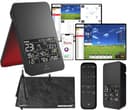
How we picked these launch monitors
We do not own a test lab, we have not hit balls in front of these units, and we will never publish a carry number we did not measure — our methodology pagesets out exactly what we do and do not do. What we compared is what each manufacturer publishes about its own device, read live from the maker’s product page, manual or press release and cited at the foot of this page, against what a first- or second-season golfer can actually use. Every ASIN here was checked as a live, in-stock listing on the day this page was written.
1. Whether your room fits it, before anything else
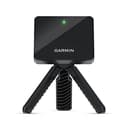
This is the criterion that eliminates devices, so it goes first. A radar launch monitor sits behind the ball and watches the ball and clubhead move away from it, so it needs clear floor in that direction. Garmin publishes the exact figures for the R10: place it between 6 and 8 ft behind the tee location, keep the tee at least 8 ft from the net indoors, and expect it to read shots inside a 2 x 2 ft hitting area that starts 6 ft from the device. Rapsodo publishes much the same total for the MLM2PRO — 8 ft from ball to net, plus another 6.5 to 8.5 ft behind the ball.
Add it up and a home radar setup wants roughly fourteen to sixteen feet of clear length, plus ceiling height for a full swing. A standard single garage is often about nine or ten feet across and twenty feet deep, which works only if you hit down the length of it. Measure the space with a tape before you spend anything, and if it does not fit, the device that suits you is the one you carry to the driving range instead.
2. Measured or estimated
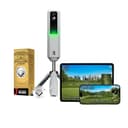
Every launch monitor lists a pile of metrics, and makers count them differently. The distinction that matters is which numbers the device measures and which it calculates from the ones it measured. Rapsodo publishes this split on its own product page: eight parameters are measured — ball speed, club speed, launch angle, launch direction, spin rate, spin axis, club path and angle of attack — and smash factor, carry, total distance, apex, descent angle, side carry and shot type are worked out from them.
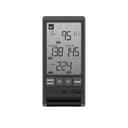
At the budget end the split is starker and more honest than people expect. PRGR’s manual states that its unit displays club head speed, ball speed, smash factor and an estimated flight distance, derived from accumulated swing data rather than measured. That is not a criticism, it is a specification: a pocket doppler meter is a speed meter with a distance estimate attached, and at that price it is a fair trade. It does mean a beginner who wants to know why the ball curved will not find the answer on its screen, because it does not read spin or launch direction.
3. What the numbers cost after you have bought the device
Two of the five units here have an ongoing cost, and both are easy to miss at checkout. The Rapsodo MLM2PRO ships with a 45-day Premium trial; after that, Rapsodo publishes Premium at $199.99 a year, $329.99 for two years or $599.99 for lifetime, and states that advanced features including full-course access and club data need the membership. The Garmin R10 works without a subscription for practice and metrics, but Home Tee Hero — the simulated-course mode most people picture when they imagine a home setup — requires an active Garmin Golf membership, published by Garmin at $9.99 a month or $99.99 a year.
The two Voice Caddie units and the PRGR have no subscription at all. Voice Caddie states that the VOICECADDIE S app is free to use and that the SC4 PRO’s bundled E6 package includes five courses plus a driving range. If you are comparing a $600 unit with a $200 one, run the numbers over three years rather than over the sticker price, because that is where the real gap sits.
4. Whether it needs your phone
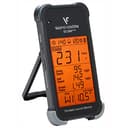
Garmin is explicit that the R10 requires a paired compatible smartphone running the Garmin Golf app, and the Rapsodo is a phone-driven device by design. The PRGR and the two Swing Caddie units show their numbers on the device itself — Voice Caddie states outright that the SC4 PRO can be used as a standalone unit outdoors with no smartphone required.
Neither approach is better in the abstract. A phone gives you a shot history, a bigger display and video. A screen on the device gives you something that works in cold rain at a range bay with gloves on, and nothing to forget to charge. Decide which of those two descriptions sounds more like your golf.
5. Which numbers a beginner can actually act on
Three of them, in our view. Club head speedtells you which shaft flex you should be ordering, which is the most common self-inflicted equipment mistake in golf — our guide to regular versus stiff shafts explains how to read it. Ball speed plus club head speed give you smash factor, which is the cleanest single measure of strike quality there is: it improves when you find the middle of the face and it does not care how far the ball went. And carry distance, averaged over a dozen shots rather than taken from your best one, is what fills in the yardages you will play by.
Spin axis, angle of attack and club path are genuinely useful numbers, and they are useful to a coach. Knowing your club path is four degrees out-to-in is not actionable on its own, which is exactly why we left launch monitors off our training aids roundup and why this page opens the way it does.
Measure your room before you order
Three checks with a tape measure, all of which cost nothing and any of which can save you six hundred dollars.
Length. Stand where the ball will sit. You need clear floor roughly six to eight feet behind you for the device, and at least eight feet in front of you to the net. If your space gives you one of those but not both, a radar unit at home will frustrate you.
Height.Make a slow full backswing with your longest club where you intend to hit. If the clubhead touches a ceiling, a beam, a light or a garage door track, that club is not usable in that room whatever monitor you buy. Garmin’s manual makes the same point about net height for high-lofted and errant shots. Plenty of indoor setups are wedge-and-iron only, which is still worthwhile practice.
What the ball hits. A launch monitor does not stop a golf ball. If you do not already have a net, that is the purchase that unlocks home practice, and our golf practice nets roundup covers the sizing, along with the hitting mat that decides what your strike learns.
What a launch monitor will and will not do for your golf
What it does, and no cheaper tool does, is close the feedback loop on home practice. Hitting into a net tells you nothing about the shot — the ball travels two yards and every swing feels roughly the same. A monitor turns that same net session into something measurable, which is the difference between hitting balls and practicing.
It is also the only way to know your real carry distances rather than your best-ever ones. Most amateurs overclub by a full club because they remember the one seven-iron that flew 160 yards and forget the eleven that went 140. Averaged numbers fix that in a single session.
What it will not do is tell you what to change. A monitor reports outcomes; it does not diagnose causes, and a beginner reading spin axis without a coach usually ends up chasing numbers rather than building a swing. If your ball is curving badly, the fix lives in our guides to fixing a slice and swing basics, not in a more expensive device. It also cannot show you a real ball flight indoors — even the units that draw a simulated trajectory are inferring it from the first few feet of travel.
Who should not buy one yet
Three cases, and they cover most people reading this page.
You do not have a net and a mat. Buy those first, in that order. A launch monitor with nowhere safe to hit is an ornament, and a net plus a mat costs less than the cheapest monitor here while doing more for your golf.
You have never had a lesson. An hour with a coach will change your strike more than a season of numbers will, and most coaches have a monitor far better than anything on this page. Our guide to whether golf lessons are worth it makes the case honestly, including when they are not.
Your scores are being lost inside a hundred yards. For nearly every beginner they are. A launch monitor measures full swings; it does nothing for chipping and putting, which is where the strokes actually go. A putting mat costs a tenth of the price and will take more shots off your card this season.
The bottom line
Measure the room first, then decide whether you want measured numbers or estimated ones, then check what the subscription costs before you check what the device costs. Do those three things in that order and any of the five units here is a defensible purchase. Skip them and the most likely outcome is an expensive box that proves you swing a seven-iron at the same speed you did last month — which is true, useful once, and not worth six hundred dollars.